

How to Use and Mute Voice Chat in Monster Hunter Wilds
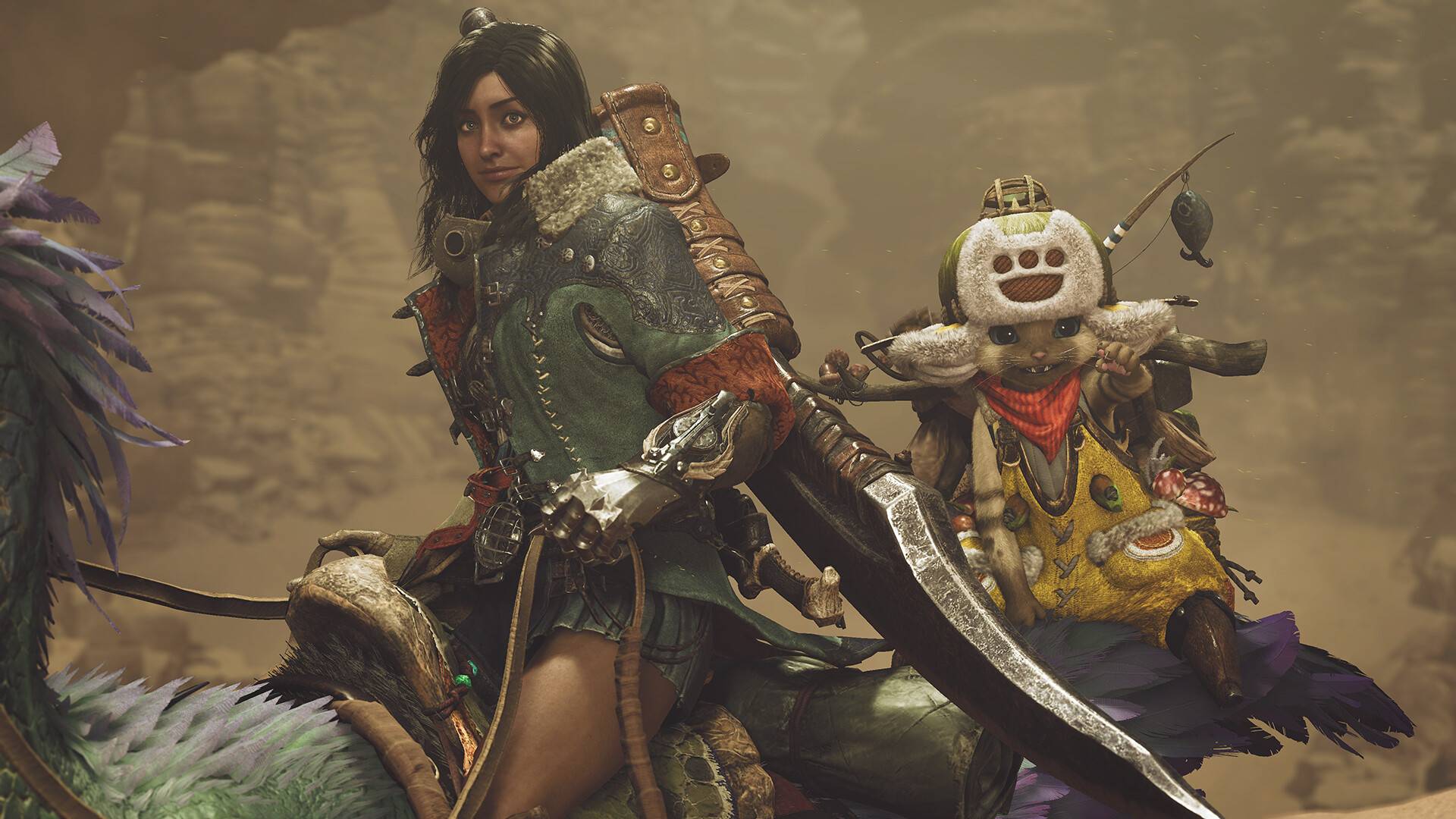
Wondering how to use or mute voice chat in *Monster Hunter Wilds*? Just because it's a multiplayer game doesn't mean you have to engage in voice communication, but if you want to and aren't using external platforms like Discord, knowing how to set up in-game voice chat is essential.
How to Use and Mute Voice Chat in Monster Hunter Wilds
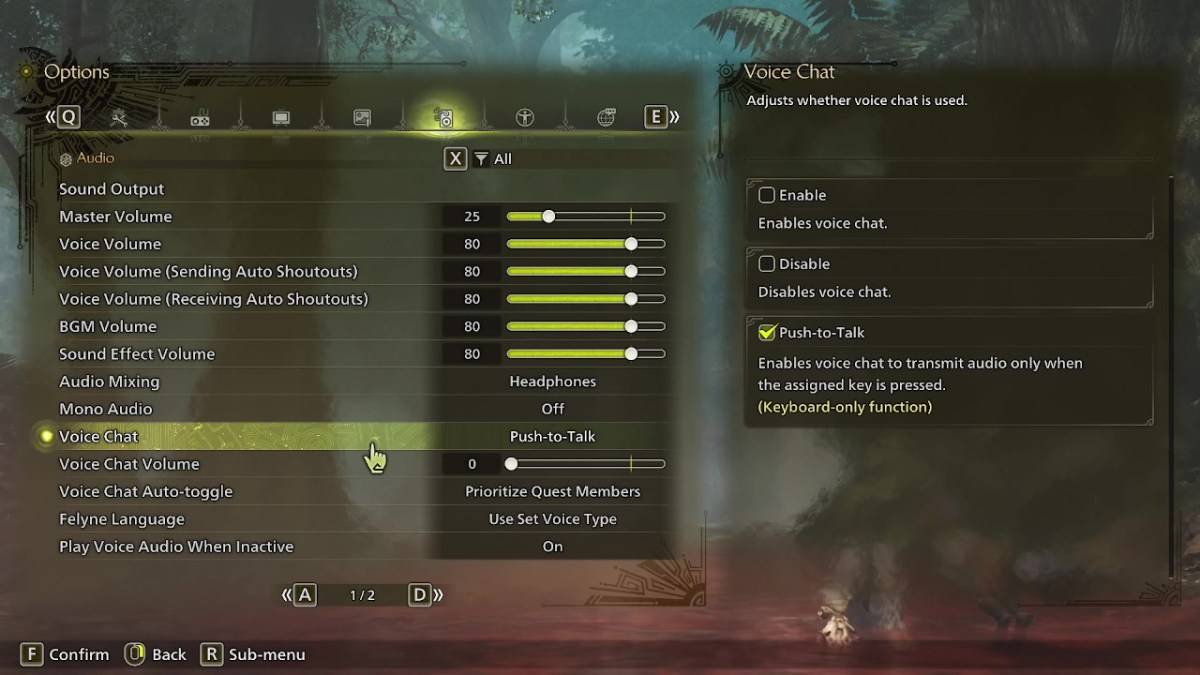
All voice chat settings in *Monster Hunter Wilds* can be found in the audio section of the menu. Navigate to the options, either in-game or from the menu screen, and select the third tab from the right. Scroll down slightly to locate the Voice Chat setting, which offers three options: enable, disable, and push-to-talk. Enabling voice chat means it will always be on, disabling it means it will never be on, and push-to-talk allows you to activate voice chat by pressing a button on your keyboard, although this feature is exclusive to keyboard users.
Additionally, you can adjust the voice chat volume to control how loud the voice communication is for you. Another useful feature is the voice chat auto-toggle, which you can set to automatically prioritize voice communication with quest members, link party members, or to not switch automatically. Quest members are those you're actively in a quest with, making this the most common choice for many players. Link members, on the other hand, are those in your link party, which is particularly helpful if you're assisting someone through the game's story and need to communicate during various cutscenes.
That covers everything you need to know about voice chat in *Monster Hunter Wilds*. While the in-game audio quality may not match that of dedicated apps, having the option available is great, especially for cross-platform play. For the best experience, using external voice communication tools like Discord is always recommended, but the in-game feature is a handy alternative.
-
 My Fairy Heavenly Horse GameEmbarque em uma aventura emocionante com o My Fairy Heavenly Horse Game! Neste cativante aplicativo, você assumirá o papel de uma fazendeira virtual que cuida de um lindo cavalo e sua família mágica. Mergulhe no mundo da criação, cuidados e corridas
 -
 Burjeel HealthExperience the next generation of healthcare management with Burjeel Health! This comprehensive mobile app transforms how you engage with your health. Effortlessly book appointments across leading healthcare brands and access your consolidated medic
 -
 EcoWorld NeighbourhoodThe EcoWorld Neighbourhood app is your complete solution for convenient community living. With its diverse set of tools, residents can easily handle household tasks, use amenities, and engage with neighbors on a single, user‑friendly platform. Wheth
 -
 Monster Girl 1000Embark on an epic quest in a charming world full of monster girls with the distinctive and adventurous mobile game, Monster Girl 1000. As the only male in a village, your mission is to partner with 1,000 monster girls to ensure their survival. Team
 -
 2025 CalendarStay Organized and Informed with the Essential 2025 Calendar & Panchang AppThe 2025 Calendar app is your all-in-one solution for daily planning and Hindu calendar tracking. Access comprehensive information about fasting days, Indian festivals, and re
 -
 The Final Earth - City BuilderEmbark on an exciting journey in The Final Earth - City Builder, where you'll rescue humanity by constructing a space colony on a miniature planet. With Earth devastated, your mission is to collect resources, develop infrastructure, advance technolo
-
 Animal Crossing: Pocket Camp Complete - How to Unlock Lobo
-
 Best MLB The Show 25 Diamond Dynasty Cards & Lineups (March 2025)
-
 Veilguard DLC Delayed for Mass Effect 5
-
 Archero 2 Tier List – Ranking the Best Characters in February 2025
-
 Marvel vs Capcom 2 Original Characters May Show Up in Capcom Fighting Games