

Nintendo Switch 2 Joy-Con Now Supports Mouse Functionality: Discover the Features
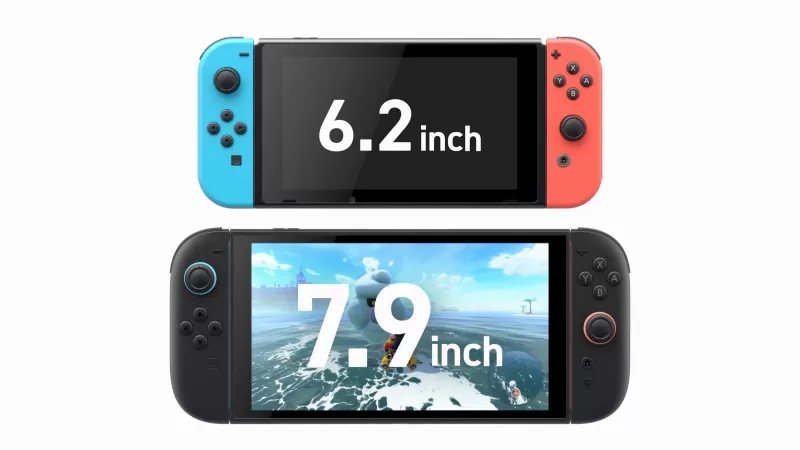
Since the reveal of the Nintendo Switch 2, fans have been buzzing about a specific detail from the trailer: the innovative use of the Joy-Cons. Speculation was rife about their potential as mouse controllers, and now, we have official confirmation: the Joy-Cons can indeed operate in "mouse mode." This feature allows players to slide the Joy-Cons across flat surfaces, using the analog sticks to mimic a left-click and right-click, much like a traditional mouse. Furthermore, gamers have the flexibility to use two Joy-Cons in mouse mode simultaneously, one in each hand, or combine one in standard mode with the other in mouse mode. This versatility opens up a world of gaming possibilities.
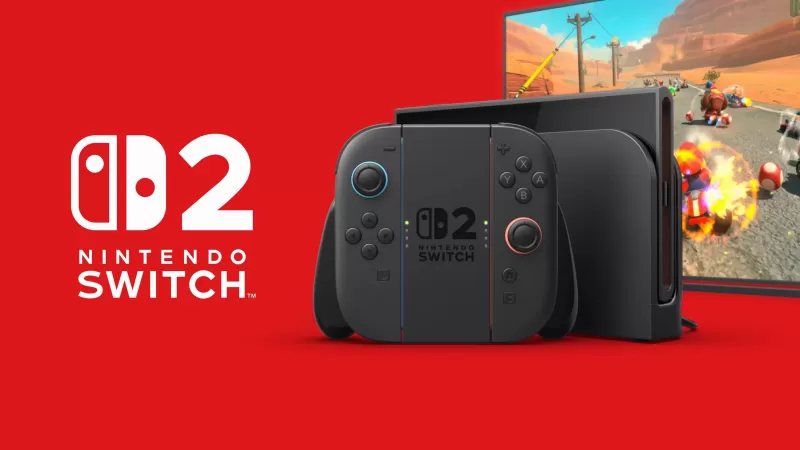
Nintendo Direct: Nintendo Switch 2 Console Slideshow
 22 Images
The capabilities of the Joy-Con in mouse mode were vividly demonstrated during the Nintendo stream through a sports game reminiscent of Rocket League, featuring robot characters navigating in wheelchair-style vehicles. Named "Drag and Drive," this game is a thrilling three-on-three basketball challenge. Players maneuver their characters around the court using two Joy-Con controllers in mouse mode, aiming to score by sinking the ball into the basket.
The concept of the Joy-Con mouse mode was sparked by the reveal trailer, where the Joy-Cons were seen gliding across surfaces like PC mice. This sparked widespread speculation among fans. In an attempt to gather more details, we reached out to Firaxis, the developers behind Civilization 7, and received an intriguing yet cryptic response. Features like the mouse mode and the new C button have fueled discussions over the past month, countering criticisms that the Nintendo Switch 2 was playing it "safe" and lacking the adventurous spirit typically associated with Nintendo.
For those eager to stay updated, you can find all the latest announcements from today's Nintendo Switch 2 Direct right here.
-
 波拉西亞戰記"Bolasia Wars" is a cross-platform, large-scale MMORPG featuring 4K graphics. It empowers every player to enjoy thrilling warfare anytime, anywhere—free from time or geographic constraints—and forge their own epic tale within a seamless open world.Bo
 -
 Black Desert MobileMajor Content Renewal | New UpdateTHE WORLD-CLASS MMORPG 『Black Desert Mobile』Are you an MMORPG fan who thrives on adventure and combat?"Black Desert" is a globally acclaimed MMORPG played by 40 million users worldwide.Discover the true mobile MMORPG
 -
 Tower of FantasyBegin your fantasy adventure in this open-world sci-fi MMORPG!Embark on an incredible journey together in Tower of Fantasy, an open-world MMORPG packed with diverse in-game events and rewards!Set hundreds of years in the future on the distant planet
 -
 City Shop SimulatorStart as the owner of a small store and build it into a thriving supermarket empire.Welcome to City Shop Simulator, an engaging game where you take over your own store and grow it from a modest shop into a massive supermarket.Your journey begins with
 -
 The King of Fighters '98UM OLCelebrate the 7th Anniversary of "KOF'98 UM OL"!Marking seven incredible years, the legendary fighting game masterpiece "THE KING OF FIGHTERS" ("KOF") is here with a major anniversary celebration! To commemorate this milestone, a brand-new LR fighter
 -
 King's ChoiceRule your very own empire! The crown is yours. Your kingdom awaits your command!King's Choice is an immersive RPG that simulates life in a medieval European royal court. Step into the role of a legendary monarch: recruit famed generals, encounter stu
-
 Best MLB The Show 25 Diamond Dynasty Cards & Lineups (March 2025)
-
 Archero 2 Tier List – Ranking the Best Characters in February 2025
-
 Animal Crossing: Pocket Camp Complete - How to Unlock Lobo
-
 Epic Games Unveils Free Bridge Constructor: The Walking Dead and Idle Champions Rewards
-
 Veilguard DLC Delayed for Mass Effect 5