

How To Fix The Requirements Not Met Bug In Path of Exile 2

Path of Exile 2 Early Access: Fixing the "Requirements Not Met" Skill Point Bug
Early Access games, like Path of Exile 2, inevitably encounter bugs. A current issue for some players is the frustrating "Requirements Not Met" message when attempting to allocate skill points. This guide outlines potential solutions.
What Causes the "Requirements Not Met" Bug?
Players report receiving the "Requirements Not Met" message when trying to unlock passive abilities, even when adjacent nodes are unlocked. While the root cause is debated (bug or hidden mechanic), resolving the message is key to progression.
Solutions to the Skill Point Glitch
Several fixes have been reported by players. Let's explore them:
Verify Skill Point Types
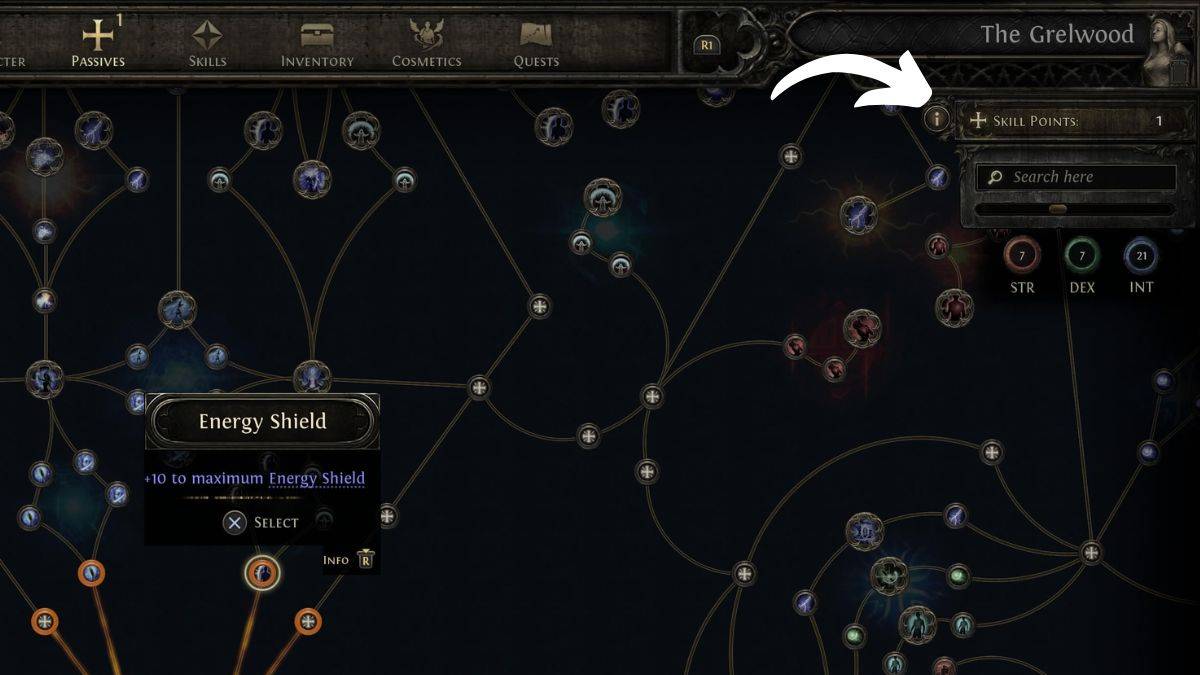
Later in the game, different skill point types exist (Skill Points, Weapon Set I, Weapon Set II, and eventually Ascendancy Points). The "Requirements Not Met" error might arise from attempting to use the wrong type of point for a specific node. Check the top-right of your screen for your point breakdown to ensure you have the correct type.
Resetting Skill Points
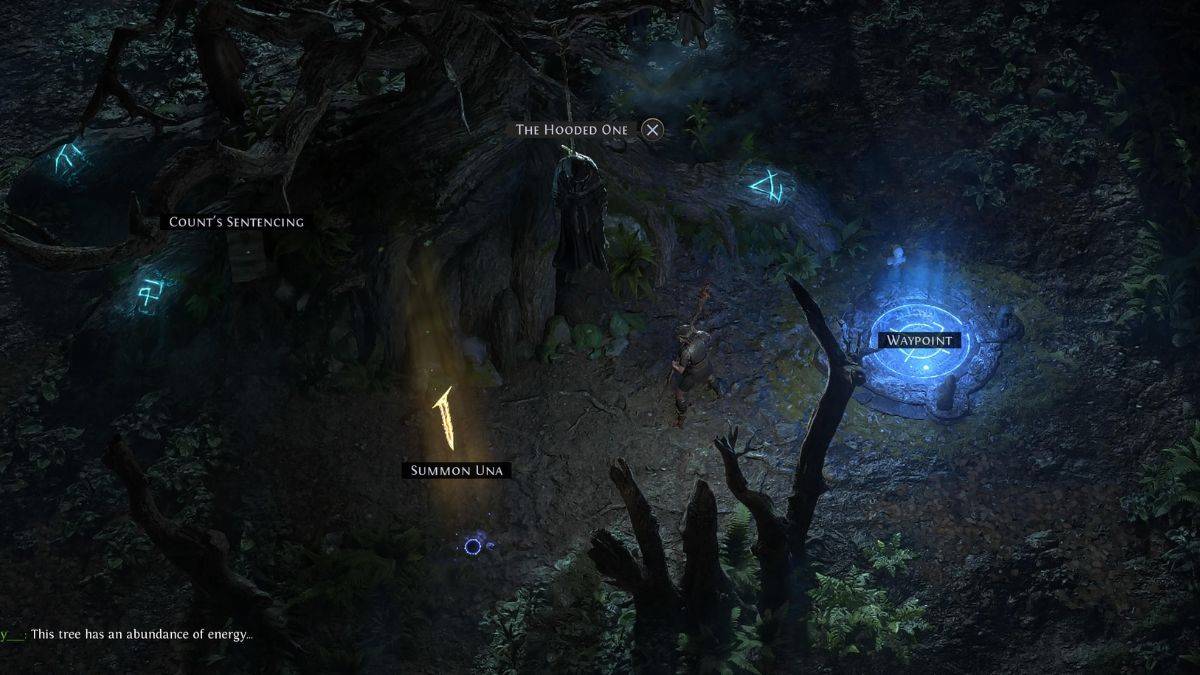
A mismatch in Weapon Set passive points appears to be another cause. The solution? A complete respec. Visit "The Hooded One" in Clearfell Encampment (unlocked after The Mysterious Shade quest). This NPC, intended for respeccing, has become an unintended fix for this bug. Refunding points and reallocating them often resolves the issue. While time-consuming, it's currently the most reliable fix.
Path of Exile 2 is currently available on PlayStation, Xbox, and PC.
-
 Oper Garage SimulatorA game for the fast-paced life A completely fresh driving experience, this game offers numerous features, from "Fso" for custom license plates to much more. It includes realistic damage, body scratches, part wear, traffic, driver interaction, dr
 -
 Moto Mad RacingExperience the world of extreme motorcycling and join the garage crew!Introducing the latest unique creation from the mobadu™ team. In Moto Mad Racing, you will become the fastest and most daring motorcycle rider in the entire crew.Brace yourself for
 -
 Traffic Driver 2Prepare to dominate the streets. Discover whether you have what it takes to become a legend—or if you'll back down like a coward.From the creators of Bus Simulator: Ultimate, enjoyed by over 300 million players, comes the brand-new game Traffic Drive
 -
 Gigabit Off-RoadExperience the most authentic off-road adventure on Android. Conquer this world on your own terms.The definitive mobile off-roading experience, crafted for realism and excitement.Explore vast open worlds with friends in multiplayer mode. Earn rewards
 -
 Absolute RC Flight SimulatorA flight simulator for RC airplanes, helicopters, drones, boats, and cars.This is the ultimate flight simulator for RC planes, helicopters, drones, cars, and boats. It's an excellent tool for seasoned modelers and an even better starting point for ne
 -
 Truck Crash Simulator AccidentWelcome to the ultimate truck crash simulator experience.Prepare to smash and crash trucks with incredible force. This game employs advanced physics to simulate realistic vehicle destruction, but you can also enjoy it as a detailed truck simulator wi
-
 Best MLB The Show 25 Diamond Dynasty Cards & Lineups (March 2025)
-
 Archero 2 Tier List – Ranking the Best Characters in February 2025
-
 Animal Crossing: Pocket Camp Complete - How to Unlock Lobo
-
 Epic Games Unveils Free Bridge Constructor: The Walking Dead and Idle Champions Rewards
-
 Veilguard DLC Delayed for Mass Effect 5