
| 應用程式名稱 | Cross Stitch Pattern Creator |
| 開發者 | Crochet Designs |
| 分類 | 藝術與設計 |
| 大小 | 7.1 MB |
| 最新版本 | 5.0.2 |
| 可用於 |


Design your own custom cross stitch patterns.
自定義設計您的十字繡圖案。
Cross Stitch Pattern Creator
十字繡圖案生成器
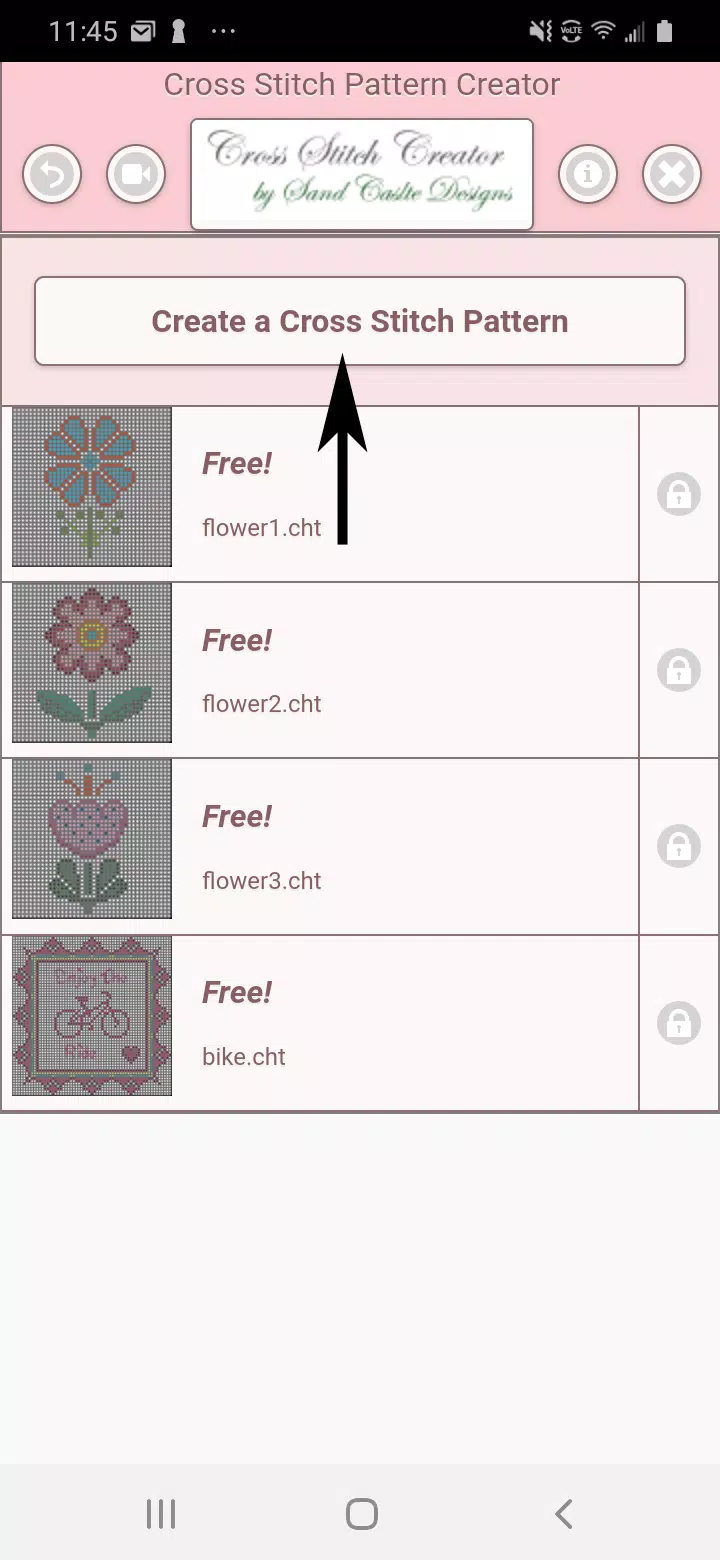
Includes 4 free sample patterns. Free to download. Activation costs $2.99.
包含4個免費示例圖案。免費下載,啟用費用為$2.99。
For best experience, use a tablet due to cross stitch pattern dimensions.
由於十字繡圖案尺寸較大,建議使用平板電腦以獲得最佳體驗。
Build unique cross stitch patterns with the Cross Stitch Pattern Creator
使用“十字繡圖案生成器”構建獨特的十字繡圖案
To begin creating patterns, click the "Create a Cross Stitch Pattern" button.
開始建立圖案前,請點選“建立一個十字繡圖案”按鈕。
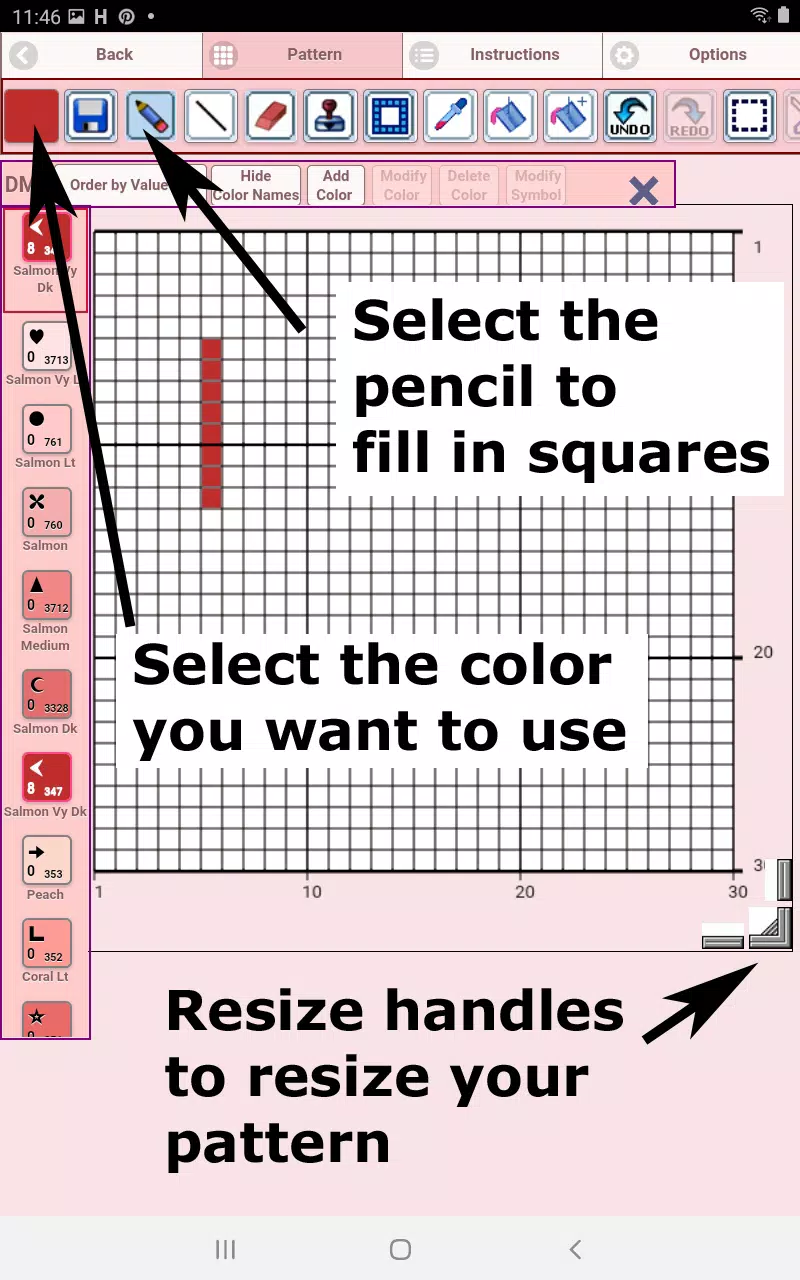
The Cross Stitch Pattern Editor opens. Fill squares with DMC floss colors.
開啟十字繡圖案編輯器。使用DMC線顏色填充方格。
You can also add custom colors if desired.
如需,您也可以新增自定義顏色。
Getting started - Use the pencil tool to fill squares in your pattern. Use the eraser to clear filled squares.
入門指南——使用鉛筆工具填充圖案中的方格。使用橡皮擦清除已填充的方格。
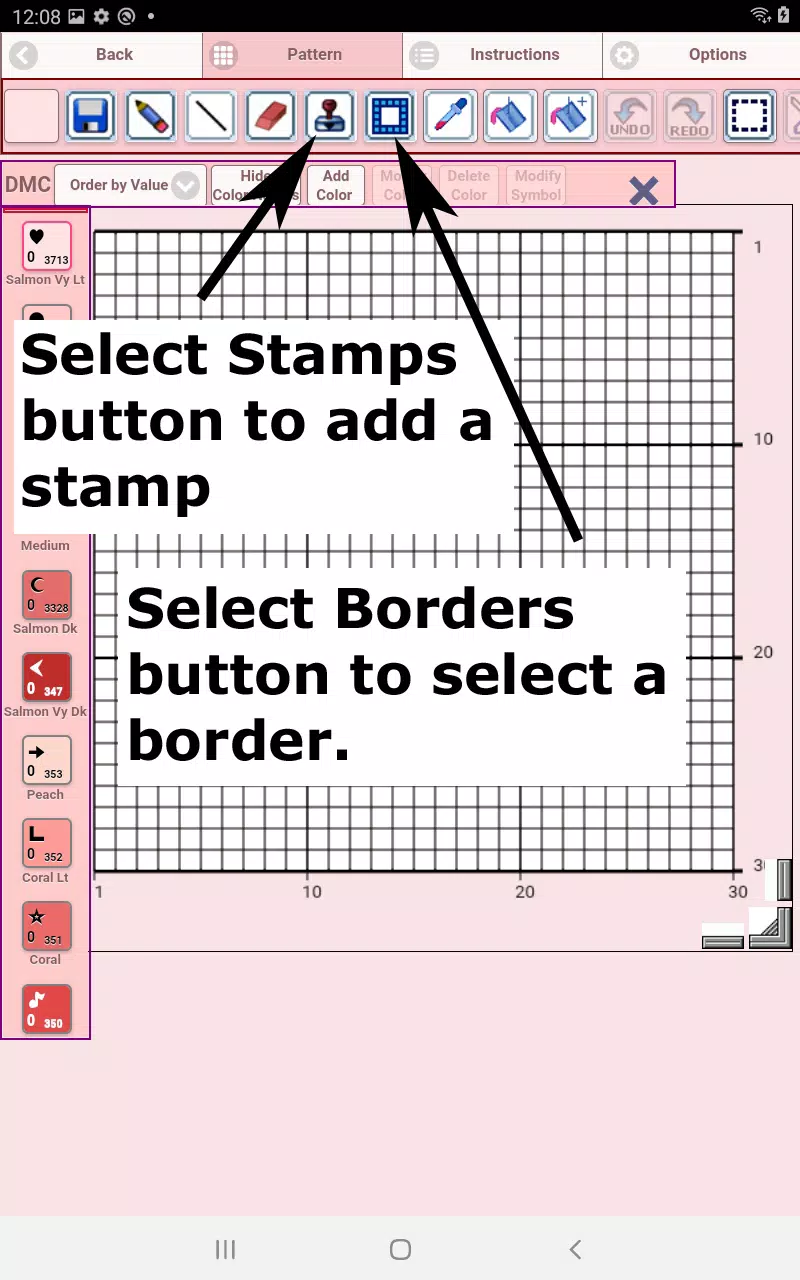
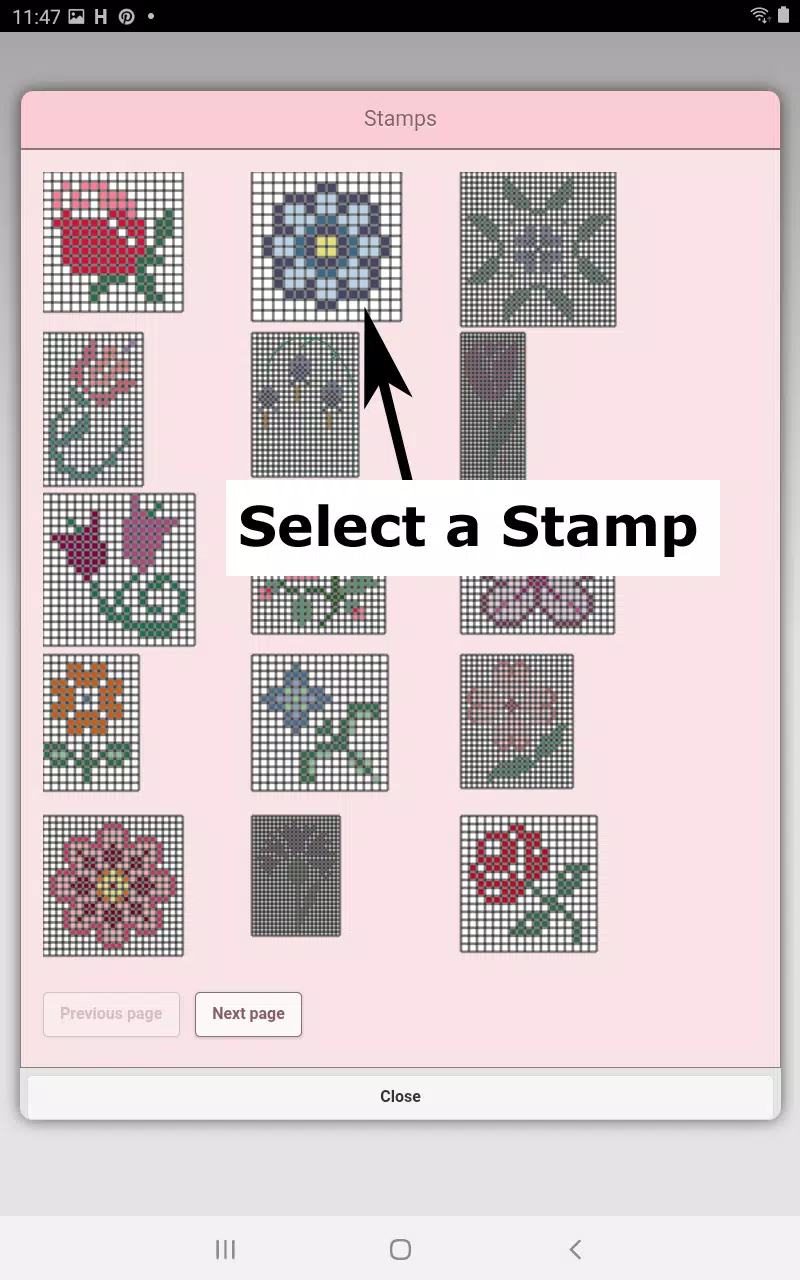
Choose from over 80 stamps and borders to apply to your cross stitch pattern.
從超過80種印章和邊框中選擇,應用於您的十字繡圖案。
Button bar functions from left to right:
按鈕欄功能從左至右依次為:
DMC Floss Color - select your preferred floss color
DMC線顏色——選擇您偏好的線材顏色
Save - saves your pattern
儲存——儲存您的圖案
Pencil - fills squares in your cross stitch pattern
鉛筆工具——填充十字繡圖案中的方格
Eraser - removes filled squares and backstitch lines
橡皮擦——清除已填充的方格和輪廓線
Backstitch - First choose color, then add backstitch lines to your pattern
輪廓線——先選擇顏色,再為圖案新增輪廓線
Backstitch Move - Select and drag backstitches to new positions
移動輪廓線——選中並拖動輪廓線至新位置
Backstitch Adjust - Select a backstitch, then reposition either end using blue控制點
調整輪廓線——選擇一條輪廓線,然後使用藍色控制點重新定位其任一端點
Stamps - small decorative elements to enhance your pattern
印章圖案——小型裝飾元素,用於美化您的圖案
Borders - decorative borders that automatically wrap around your pattern
邊框——自動環繞您圖案的裝飾性邊框
Dropper - extracts colors from your pattern for reuse
吸管工具——從您的圖案中提取顏色以便重複使用
Bucket - fills selected areas with current color
油漆桶——用當前所選顏色填充選定區域
Bucket+ - replaces existing colors with currently selected color
油漆桶+——將現有顏色替換為當前選定的顏色
Undo - reverses your last action
撤銷——撤回您的上一步操作
Redo - restores changes you undid
重做——恢復您撤消的更改
Selection Box - selects pattern areas for cutting/copying/rotating/flipping
選框工具——選擇圖案區域以進行剪下、複製、旋轉或翻轉
Cut - First select area with Selection Box, then remove selected pattern section
剪下——先用選框工具選定區域,然後移除所選的圖案部分
Copy - First select area with Selection Box, then copy to clipboard
複製——先用選框工具選定區域,然後複製到剪貼簿
Paste - Paste copied area, then position it where desired
貼上——貼上已複製的區域,並將其放置在所需位置
Rotate - rotates selected area or entire pattern
旋轉——旋轉所選區域或整個圖案
Flip Horizontal - flips selected area or entire pattern left/right
水平翻轉——將所選區域或整個圖案左右翻轉
Flip Vertical - flips selected area or entire pattern top/bottom
垂直翻轉——將所選區域或整個圖案上下翻轉
Zoom In - enlarges pattern view
放大——擴大圖案檢視
Zoom Out - reduces pattern view
縮小——減小圖案檢視
Symbols - shows unique symbols for each color value
符號顯示——為每種顏色值顯示獨特的符號
Picture - convert device images into patterns
圖片匯入——將裝置中的影象轉換為十字繡圖案
Social Media - share patterns via email, text, etc.
社交媒體分享——透過電子郵件、簡訊等方式分享您的圖案
Resize Handles - located at bottom right corner, drag to adjust pattern size
調整大小手柄——位於右下角,拖動以調整圖案尺寸
Settings - modify grid color, switch fill style between Solid and X's,
設定——修改網格顏色,在“純色填充”和“X形填充”之間切換樣式,
hide row/column counters
隱藏行/列計數器。
Instructions - shows DMC colors used and finished sizes for
操作說明——顯示所使用的DMC線材顏色以及針對不同Aida布針數下的成品尺寸:
various Aida Cloth counts
Preview - displays how your pattern appears when stitched.
預覽功能——展示您的圖案縫製完成後的效果。
Adjust fabric color as needed.