

PSVR2 PC Setup Guide
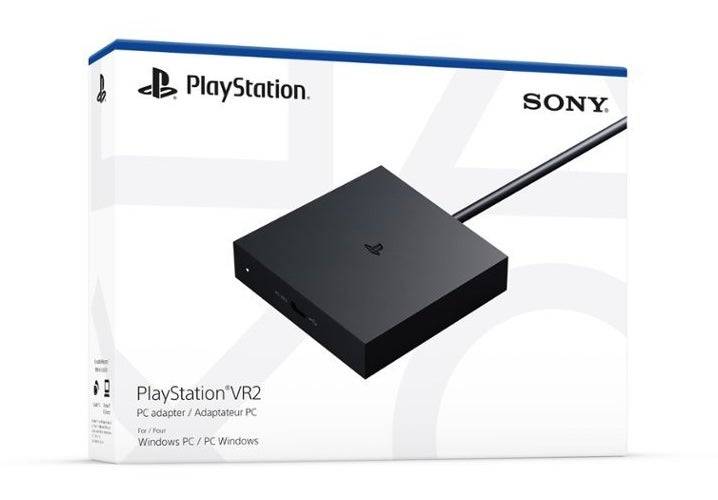
For PlayStation VR2 owners eager to experience SteamVR's extensive game library on PC, options were scarce until recently. Sony changed that with last year's release of a $60 PC adapter, unlocking compatibility for PlayStation VR2 headsets - provided your gaming rig meets the required specifications. However, connecting your VR2 headset involves more than just plugging in the adapter. While marketed as plug-and-play, some crucial functionality gaps might necessitate additional setup depending on your PC's configuration.
Connecting Your PS VR2 to PC Using the Adapter
Before starting the setup, ensure you have all necessary components. The adapter enables full SteamVR compatibility, but you'll need Bluetooth 4.0 support, a DisplayPort 1.4 cable, accessible power outlet, plus both SteamVR and PlayStation VR2 apps installed on Steam. The bundled Sense controllers charge via USB-C - requiring two ports and cables unless you opt for Sony's $50 charging dock.
Essential Requirements
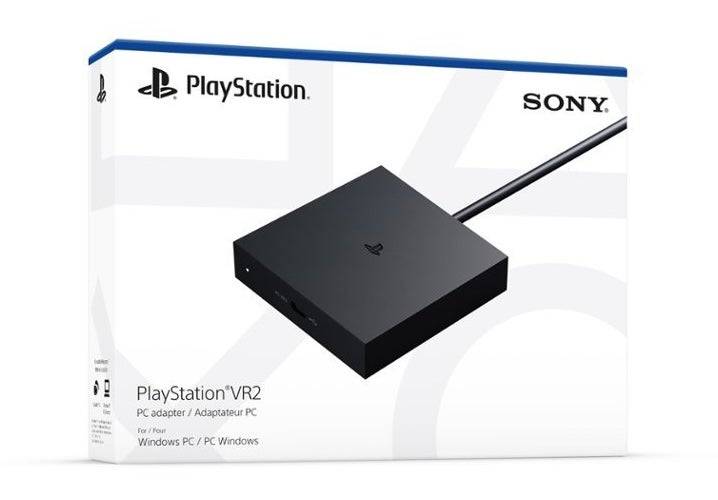
Back in Stock
PlayStation VR2 PC Adapter
View at Amazon
First, verify your PC's compatibility using Sony's official preparation page. Assuming your system qualifies, gather these components:
PlayStation VR2 headsetPC adapter kit(includes AC adapter and USB 3.0 Type-A cable)DisplayPort 1.4 cable (sold separately)Available USB 3.0 Type-A port (note: Sony discourages using extension cables/hubs per the manual, though our testing found powered hubs functional)Bluetooth 4.0+ capability (built-in or via adapter)SteamVR platformPlayStation VR2 Steam app
Setup Guide: Complete Walkthrough
Follow these steps once you've gathered all components:
Install required softwareDownload Steam client if not already installedLaunch Steam and install SteamVRAdd PlayStation VR2 appPair Sense controllersEnable Bluetooth via Settings > DevicesToggle controllers to pairing mode (PS + Create buttons until light flashes)Add both controllers under Bluetooth settingsFor systems without native Bluetooth 4.0+, use compatible adapters like Asus BT500Disable conflicting Bluetooth drivers if using external adapterConnect hardwareInsert adapter into USB 3.0 Type-A portLink GPU's DisplayPort to adapter using 1.4 cablePower adapter via included AC plugOnce powered, connect headset's USB-C to adapterDisable GPU scheduling (if needed)Troubleshoot potential stability issues with newer GPUs:Access Graphics Settings via SystemDisable Hardware-accelerated schedulingReboot systemFinalize setupActivate headset (press under-visor button)Launch SteamVR as default OpenXR runtimeRun PlayStation VR2 appComplete firmware updatesConfigure play area and fit adjustments
Is the Adapter Absolutely Necessary?
Currently, adapter-free connections remain unconfirmed. While VirtualLink-enabled GPUs (2018-era models with USB-C) reportedly allow direct connections per Road to VR, Sony hasn't officially endorsed this method. The adapter remains the only guaranteed solution.
-
 The Barkers: Funny adventuresJoin the Barkers family for hilarious adventures and explore exciting airport careers!The Barkers quickly pack their suitcases and backpacks, rushing to catch their flight on time! What's going on? What new adventures await this time? The thrilling g
 -
 Immortal Legend - أسطورة خالدةDive into Eastern mythology, free trade, and thrilling RPG battles.This globally celebrated MMORPG is now officially available in the Arab region, featuring exclusive Arabic language support!For the glory of the Arab world, rally your friends and con
 -
 Perfect World: AscendJoin the global community on a unified server and switch seamlessly with the rotatable screen.Play with a worldwide community on a single server, effortlessly switching between landscape and portrait modes. The newest masterpiece from the legendary 2
 -
 Du Long Thiên HạRide the Starry Sky DragonOne Man & One Dragon – Masters of the Smiling, Arrogant HeavensThe Premier Mainstream RPG Experience• Du Long Thien Ha creates a mobile arena for anytime fun, offering an epic, multi-character adventure. Lose yourself in mag
 -
 2.5次元的誘惑 天使們的舞台Embrace the challenge with a pose that will captivate everyone! Engage in a COSPLAY battle with heightened intensity! The inaugural game from the anime "The Temptation of 2.5 Dimensions" is here!Dive into the mobile game adaptation of Shueisha's orig
 -
 ERGOSUM(エルゴスム)Falling With You RPGThere came a time when "Seiron" forced "Desire" into a twisted and rigid mold.A desire deformed turned into a sin, and from this, Genzai was born.Yet, the human aspiration to overcome these Genzai also sprang from desire.It is the
-
 Best MLB The Show 25 Diamond Dynasty Cards & Lineups (March 2025)
-
 Archero 2 Tier List – Ranking the Best Characters in February 2025
-
 Animal Crossing: Pocket Camp Complete - How to Unlock Lobo
-
 Epic Games Unveils Free Bridge Constructor: The Walking Dead and Idle Champions Rewards
-
 Veilguard DLC Delayed for Mass Effect 5